git workflow가 제대로 작동하는지 확인하기 위해 test branch로 pr을 날렸다.
첫 번째 실패

formattig, build 작업 모두 실패.
해결 방법은, 레포지토리에서 Settings -> Actions -> General에 들어가서
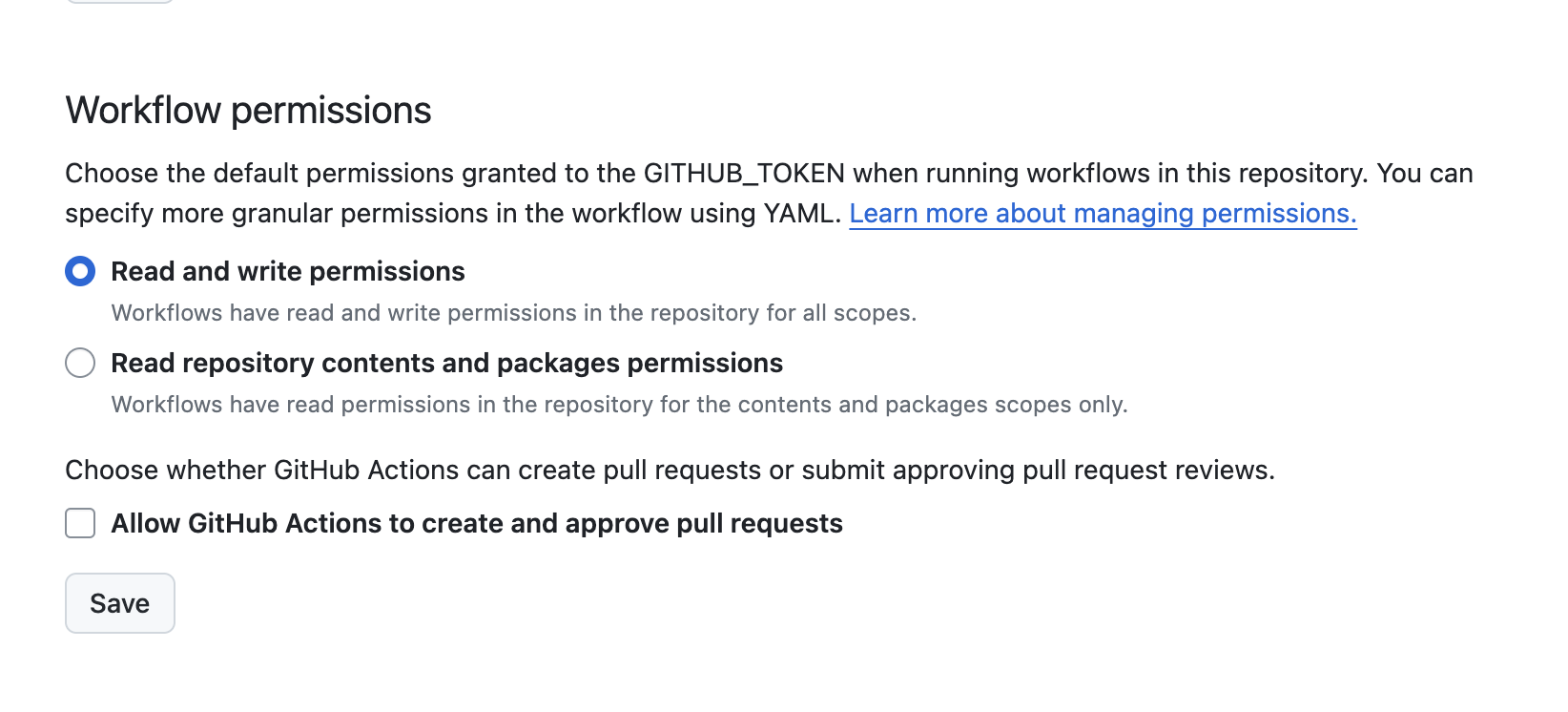
Read repository contents and ... 에 체크되어 있는 것을 Read and write permissions로 바꾸어주는 것이다.
이후 한 번 성공했는데, application.yml을 작성한 뒤 또 실패를 겪었다..🥹
두 번째 실패

이번에는 build만 실패

실패한 위치는 Setup Gradle.
그리고 아래와 같은 코드를 볼 수 있었다. (길어서 접어놓기)
더보기
Run gradle/gradle-build-action@v2
Restore Gradle state from cache
/home/runner/work/date-maze-back/date-maze-back/gradlew build
Downloading https://services.gradle.org/distributions/gradle-8.7-bin.zip
............10%.............20%.............30%.............40%............50%.............60%.............70%.............80%.............90%............100%

Welcome to Gradle 8.7!

Here are the highlights of this release:
 - Compiling and testing with Java 22
 - Cacheable Groovy script compilation
 - New methods in lazy collection properties

For more details see https://docs.gradle.org/8.7/release-notes.html

Starting a Gradle Daemon (subsequent builds will be faster)
> Task :compileJava
> Task :processResources
> Task :classes
> Task :resolveMainClassName
> Task :bootJar
> Task :jar
> Task :assemble
> Task :compileTestJava
> Task :processTestResources NO-SOURCE
> Task :testClasses

> Task :test

DatemazeApplicationTests > contextLoads() FAILED
    java.lang.IllegalStateException at DefaultCacheAwareContextLoaderDelegate.java:180
        Caused by: org.springframework.beans.factory.UnsatisfiedDependencyException at ConstructorResolver.java:795
            Caused by: org.springframework.beans.factory.BeanCreationException at ConstructorResolver.java:648
                Caused by: org.springframework.beans.BeanInstantiationException at SimpleInstantiationStrategy.java:177
                    Caused by: org.springframework.boot.autoconfigure.jdbc.DataSourceProperties$DataSourceBeanCreationException at DataSourceProperties.java:186

1 test completed, 1 failed

> Task :test FAILED

FAILURE: Build failed with an exception.

* What went wrong:
Execution failed for task ':test'.
> There were failing tests. See the report at: file:///home/runner/work/date-maze-back/date-maze-back/build/reports/tests/test/index.html

* Try:
> Run with --scan to get full insights.

Deprecated Gradle features were used in this build, making it incompatible with Gradle 9.0.

You can use '--warning-mode all' to show the individual deprecation warnings and determine if they come from your own scripts or plugins.

For more on this, please refer to https://docs.gradle.org/8.7/userguide/command_line_interface.html#sec:command_line_warnings in the Gradle documentation.

BUILD FAILED in 36s
7 actionable tasks: 7 executed
Error: Gradle build failed: see console output for details
이 오류는 SpringBootTest에서 class명 지정해주니 해결되었다.

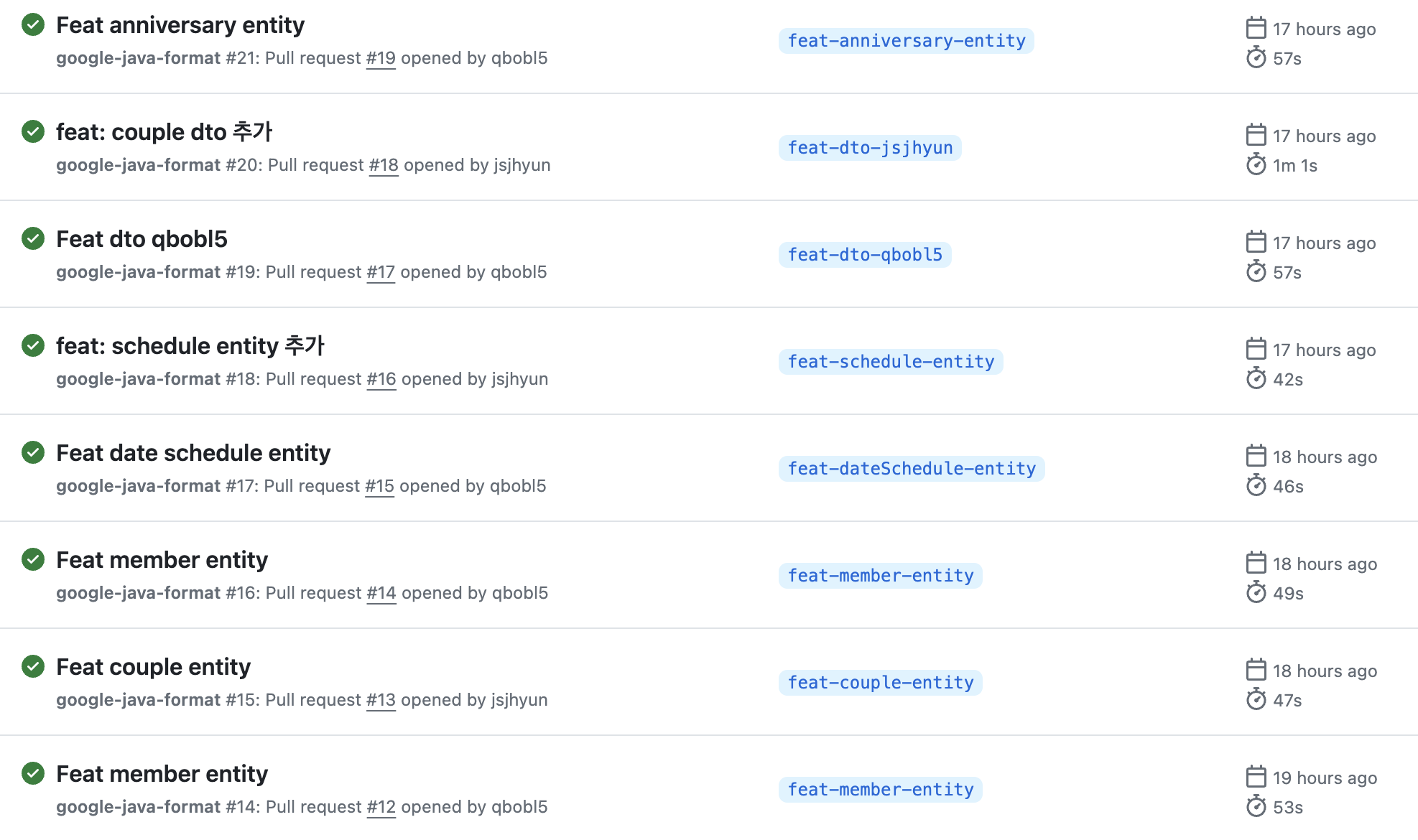
이후 정상적으로 작동중 😊
'🤓 공부' 카테고리의 다른 글
| 백준 코딩테스트 설명회 : 시간 복잡도와 우선순위 큐 (1) | 2024.04.07 |
|---|---|
| 알고리즘 : BinarySearch 이진 탐색 (0) | 2024.04.03 |
| 알고리즘 : BFS (2) 실습! 코딩테스트 풀이 도전 (0) | 2024.03.22 |
| 알고리즘 : BFS (1) 넓이 탐색 알고리즘이란 무엇인가 (0) | 2024.03.20 |
| Java : Comparator (0) | 2024.03.10 |


